Claude tends to collect a particular kind of history. Not fifty throwaway questions a day, but the two-hour research session, the chapter you rewrote four times, the debugging thread that went sixty messages before the fix appeared. Deep work leaves deep threads.
Then you need one of them back, and the recents list shows you "Marketing plan draft", "Marketing plan feedback" and "Marketing plan question" stacked on top of each other. One of the three holds the version you actually kept. Nothing on the surface says which.
That is the quiet tax on a good Claude history: every substantial thread makes the archive more valuable, and the flat list makes it harder to reach.
Claude folders would end this, which is presumably why you searched for them. So let us settle the first question directly.
Does Claude AI have folders?
No. Claude ships no native folder system for conversations. The sidebar is a chronological recents list plus search: no grouping by client or topic, no nesting, no way to give a finished thread a permanent home.
What Claude does ship is Projects, and Projects are excellent at their actual job. But their job is organizing context for the work ahead of you, not the conversations behind you. More on that distinction below.
In practice you have two routes: lean on the native features plus some discipline, or let a browser extension add real Claude folders to the sidebar. Both routes follow, native features first.
The 3 features Claude offers instead of folders
Three native features touch organization. Each one earns its place, and each one stops early:
Claude Projects
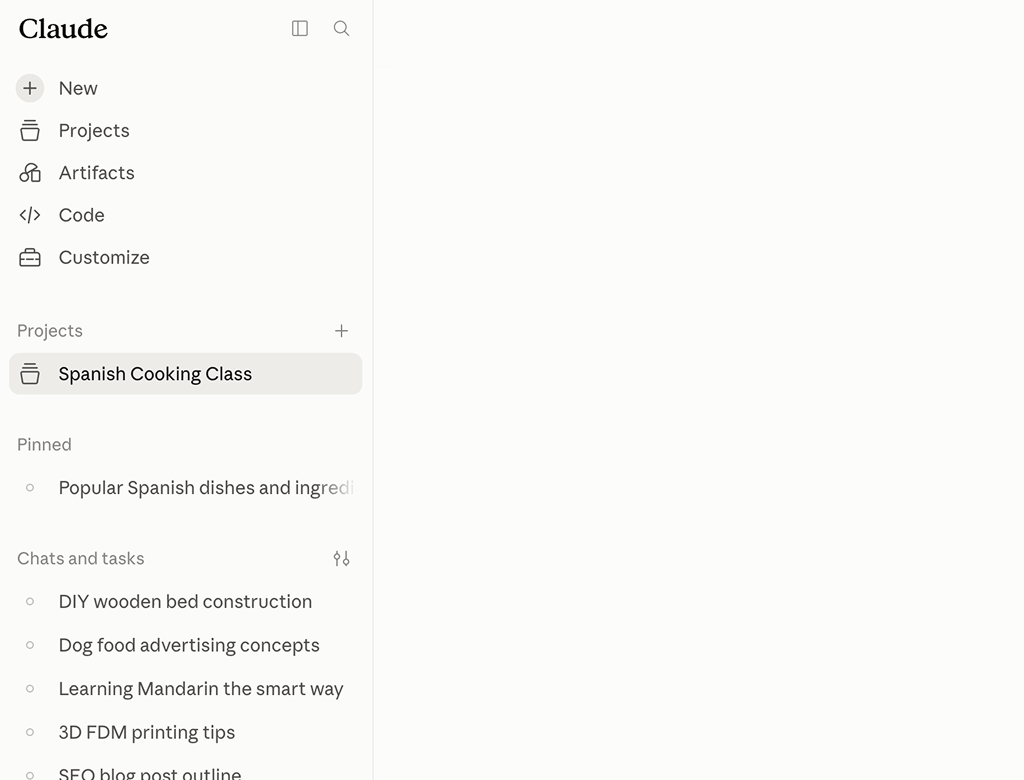
A Project is a workspace: you load it with knowledge files and custom instructions, and every chat you start inside arrives already briefed. For focused, ongoing work this is genuinely powerful, and nothing on this page suggests giving it up.
As an organization system, though, Projects run out quickly. There is no nesting, so no hierarchy and no subfolders. And because the whole design centers on shared context, a Project answers "what does this work need to know?" rather than "where did that conversation go?". Filing a year of finished threads was never its purpose.
Starred chats
Claude lets you star a conversation to keep it within easy reach, and for the four or five threads you return to weekly, a star is honestly all you need.
It just does not scale into structure. A star is a single flat flag: once thirty conversations wear one, the starred list is simply your recents problem repeated in miniature, with no topics, no hierarchy and no order you chose.
Search
The sidebar search matches keywords, and it delivers when you remember a distinctive term from the conversation. The failure mode is the everyday one: you remember the insight, not its wording. And even when search lands, it opens the top of the thread, leaving you to scroll for the one message you came back for.
Claude Projects vs. Claude folders: briefing room, file cabinet
Picture a Project as a briefing room: you stock it with documents and standing instructions, and everyone who walks in starts the meeting informed. Picture a folder as a file cabinet: it takes what the work produced and gives it a labeled, findable place. One prepares what you are about to do, the other preserves what you have already done. Side by side:
| Capability | Claude Projects | Claude folders |
|---|---|---|
| Group chats by topic | Yes | Yes |
| Shared knowledge files and instructions | Yes | No |
| Subfolders and nesting | No | Yes |
| File your finished history retroactively | Limited | Yes |
| One structure across other AIs | No | Yes |
Projects win the context row, and nothing on this page asks you to give that up. But for nesting, retroactive filing and one structure across your whole history, "just use Projects as folders" is a category mistake. The common endgame is both: Projects for active work, folders for everything, with the Projects themselves filed into folders too.
Organizing Claude chats without an extension: 3 workarounds
Nothing installed, nothing new to learn, just habits. Each of these gets you part of the way toward Claude folders, and each bends in a predictable spot:
1. A naming convention
Rename every thread with a leading tag, "[Acme] Positioning research" or "Thesis: methods chapter". Because the tag is searchable, filtering for it behaves almost like opening a folder.
The weakness is the word "every". The system only works if you rename each new thread, in busy weeks too, forever, and it silently excludes the months of history from before you started tagging.
![A naming convention instead of Claude folders: filtering the recents list for the prefix [Acme] lines up the tagged threads, while an untagged chat stays out of sight](assets/img/claude-naming-convention.svg "Claude naming convention")
2. A curated link index
Every Claude conversation has a stable URL, so a note in Notion or a plain document can hold links to the threads that matter, sorted however you like. Think of it as a hand-built table of contents for your best work.
It is also a second system with all the costs of one: it lives outside Claude, it only knows the threads you remembered to add, and every link drops you at the top of a long conversation instead of at the passage that made it worth saving.
3. Ruthless pruning
Delete everything non-essential once a week. It works, in the narrowest sense: the recents list stays short enough to scan, and plenty of people run this way.
But look at the cost. Deleted means gone, permanently, and the threads you will someday want back are exactly the substantial ones this page is about. You pay for a tidy sidebar with your archive. That is not a workaround, it is an anti-pattern.
Three habits, one shared ceiling: constant upkeep, no hierarchy, and no path back to the exact answer inside a thread. Closing that gap takes about a minute.
Add real Claude folders with a free extension
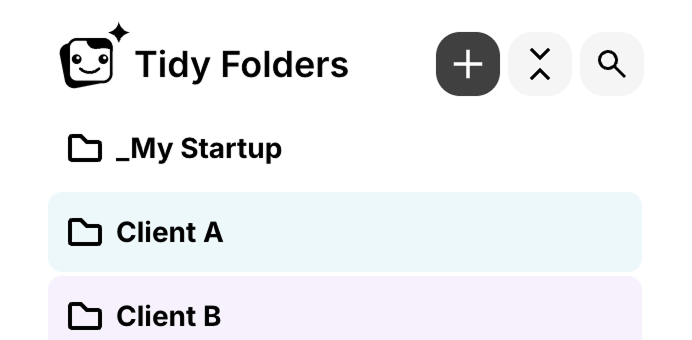
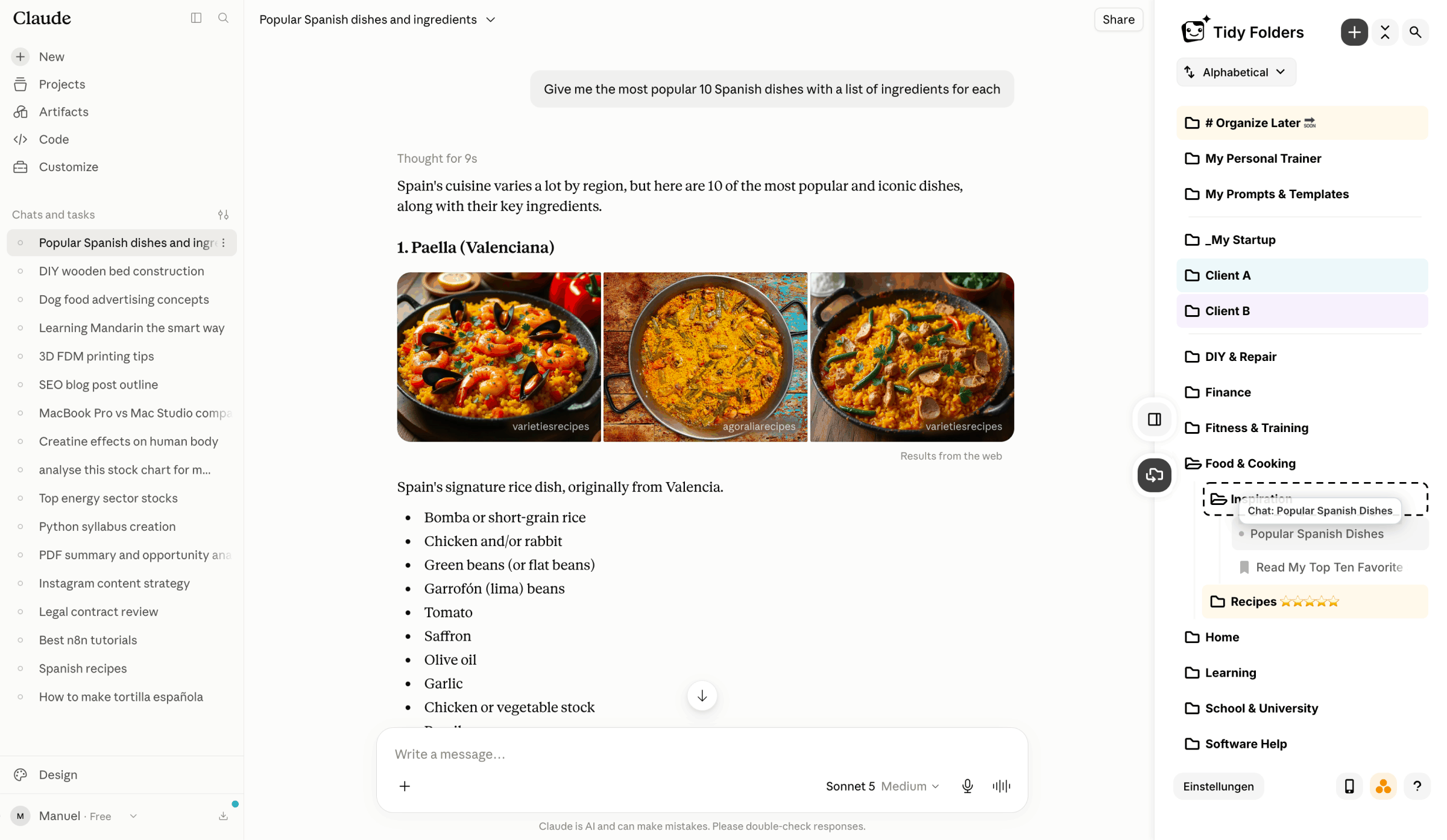
Tidy Folders changes the sidebar itself instead of asking you for discipline. Install the extension, open claude.ai, and the folder panel is simply there, inside the interface you already use. Concretely, Claude folders through Tidy mean:
- Folders and subfolders via drag and drop: one per client, project or life area, nested wherever a topic outgrows its parent.
- Retroactive filing: your existing history is fair game, so the research threads from last spring finally get an address.
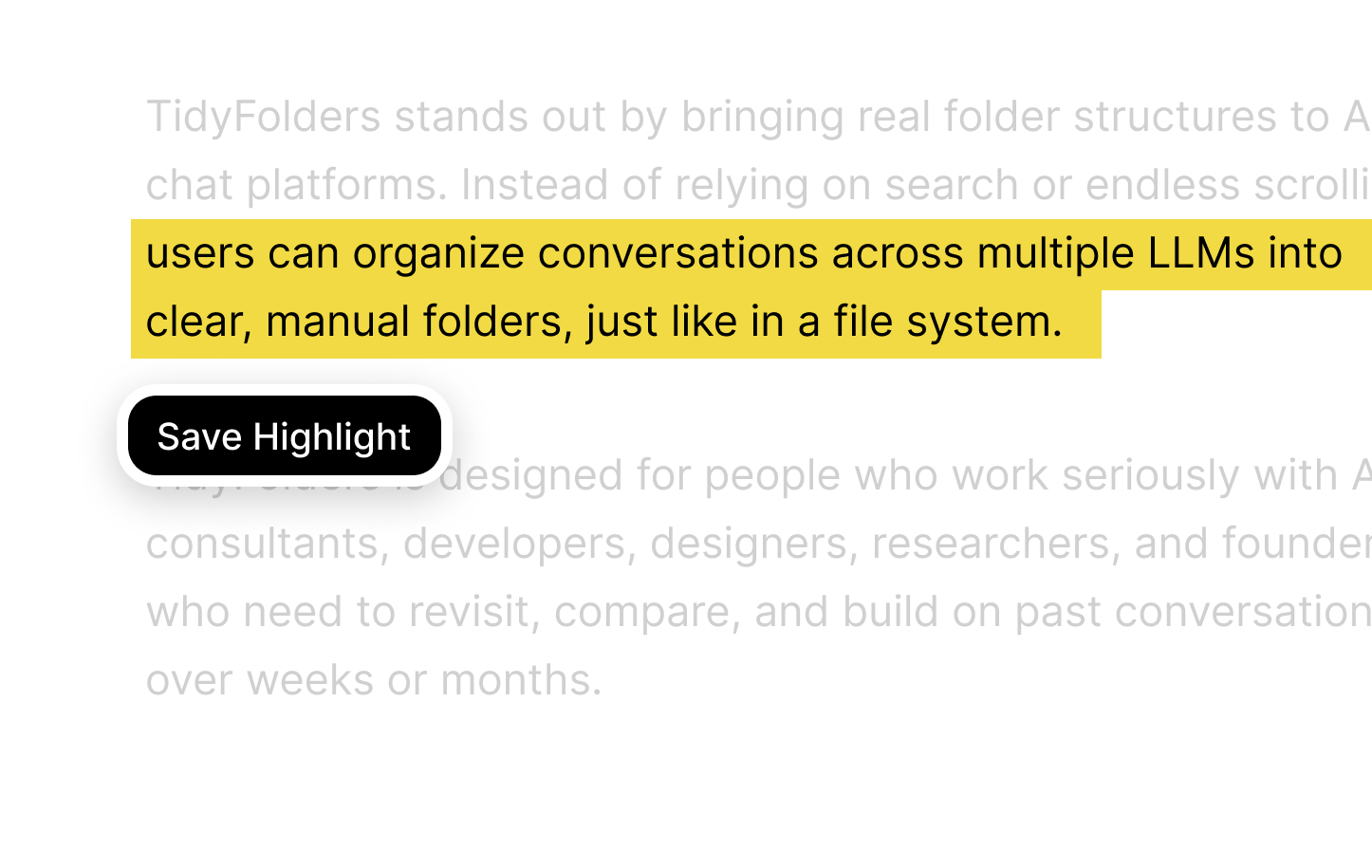
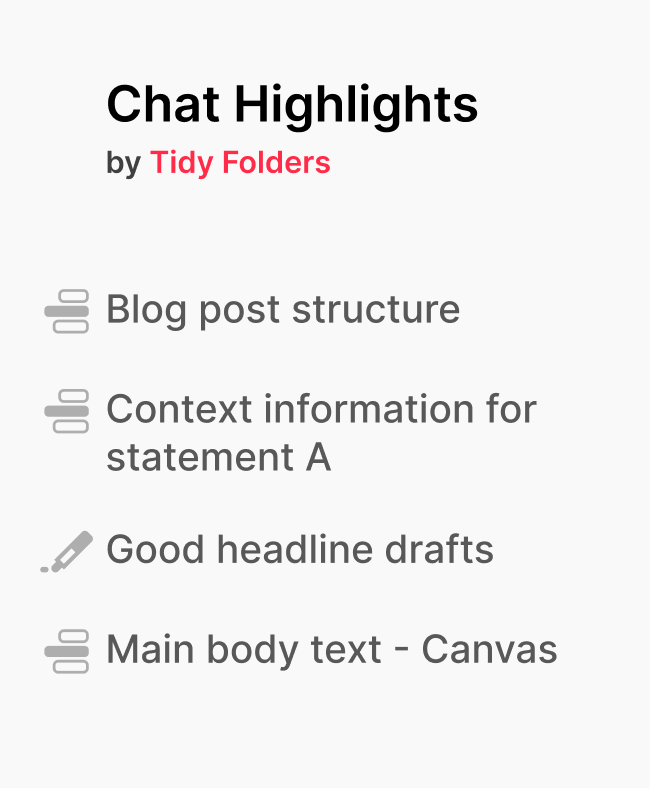
- Highlights: mark the passage that matters the way you would with a highlighter on paper, then return to it later through the saved mark, one click, no scrolling.
- Projects included: Tidy runs alongside every native feature, and your Projects themselves can be filed into folders, so chats and Projects share one structure.
The extension is free.
Text highlighting: jump to the exact passage in a long Claude thread
Folders answer one question: which thread was it. Long Claude threads raise a second one: where in the thread. A 200-message session may hold one paragraph you will ever need again.
Highlights answer that second question. Mark a sentence while you work: the framing that unlocked the chapter, the query that returned clean data, the source you must cite. Each mark stays visible in the chat and doubles as a bookmark. One click brings you back to the passage.
File your highlights into folders of their own and they become a reference library: not a pile of transcripts, just the fifty passages worth the hours. The longer your Claude sessions run, the more this pays off.
4 rules for a Claude folders setup that survives week two
Most filing systems die of ambition, so keep yours boring. Four rules do it:
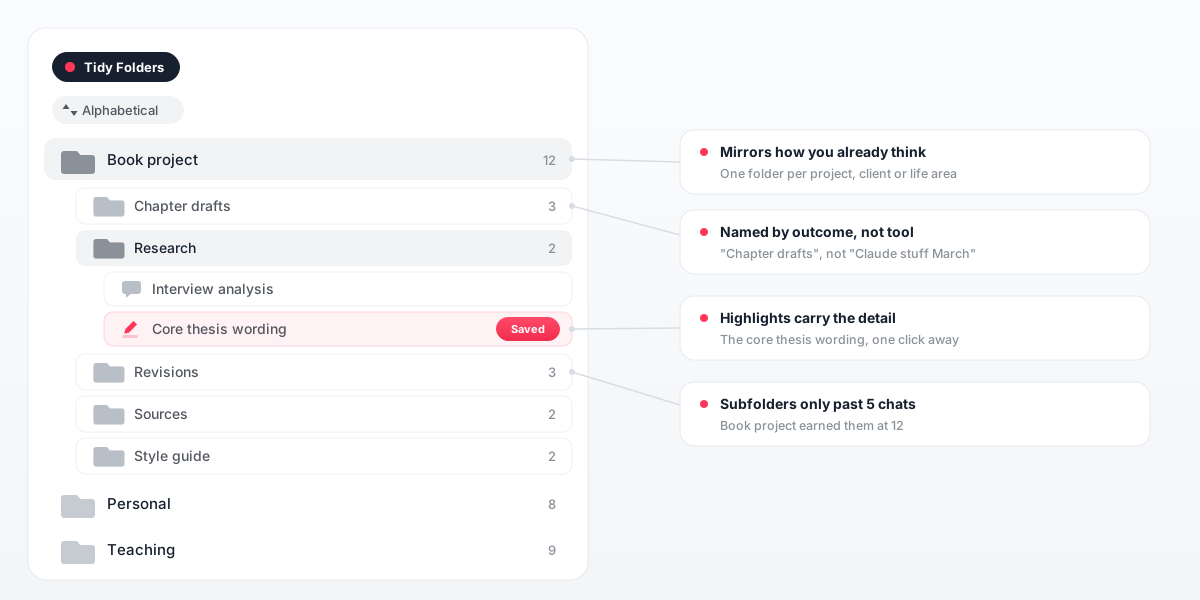
- Mirror how you already describe your work. A handful of top-level folders, one per project, client or life area. Resist inventing a taxonomy.
- Stay shallow at first. Let a subfolder appear only after a folder holds more than about five threads.
- Name folders by outcome, not by tool or month: "Chapter drafts" beats "Claude stuff March".
- Leave the fine detail to highlights. The folder answers which thread, the highlight answers which passage.
9 workflows that get easier with Claude folders
The same setups keep coming back among people who run long, serious Claude sessions. Nine of them below; expand the one that looks like your own recents list:
Long-form writing: a folder per book, report or chapter
A manuscript grows through dozens of Claude threads: outlining, rewriting, tone experiments, feedback rounds. Giving the book its own folder, with a subfolder per chapter, keeps every stage of a passage in one place. Highlight the version you finally kept, and the next writing session starts from your best sentence instead of a search box.
Research threads: sources and findings you must cite later
Research sessions are the threads you most regret losing, because the value is a single passage: the argument that held up, the source you have to reference. A folder per question or paper collects the sessions, and a saved highlight on each key finding turns the folder into a citable trail rather than a heap of transcripts.
Coding sessions: one folder per repo, a mark on the fix
Sixty-message debugging threads all wear interchangeable titles a week later. Sort them by repository or feature, and put a highlight on the message where the solution actually appeared. When the same error resurfaces in three months, you reopen the exact answer instead of re-deriving it.
Client and consulting work: every engagement in its own drawer
Advisory work produces threads you may need to defend later: the analysis behind a recommendation, the wording a client approved. A folder per engagement, with subfolders for deliverables and background, keeps that record intact. It also stops one client's material from surfacing while you work on another's.
A prompt and instruction library: keep what already works
Some prompts and custom instructions take real iteration to get right, and rebuilding them from memory never quite lands. File the thread where one finally clicked into a dedicated folder and highlight the prompt text itself. Reuse then takes seconds, and the library compounds with every good session.
Job applications: each company as its own thread bundle
Tailored resume angles, cover letter passes and interview preparation pile up fast once several applications run in parallel. One folder per company holds them together, so before a call you review exactly what you told that employer. Afterwards the folder remains a record of which framing got responses.
Studying: courses, explainers and a revision layer
Explainer threads earn their keep the second time you read them, which only happens if they are findable at exam time. A folder per course or module does the sorting, and highlighted passages become the revision layer: each mark jumps back to the full explanation, with all the context a pasted summary would lose.
Personal projects: the renovation, the trip, the plan
Side projects live in Claude too: the kitchen renovation, the training plan, the six-month trip. A folder per project keeps months of decisions together and separate from work, so nothing private scrolls past during a screen share. When the project resumes after a pause, the whole thinking is still there.
Reusable drafts: templates you will send again
Certain outputs get reused for years: the proposal skeleton, the polite escalation email, the standard scope reply. A Drafts folder gathers the threads that produced them, and a highlight on the final wording makes each one a copy-and-adapt template. That beats rewriting the same message from scratch every quarter.
Nine setups, one pattern: folders mirror your projects, highlights save the passages those projects depend on. That structure holds up in a crowded week, exactly where the workarounds above gave out.
Claude folders that also cover ChatGPT, Gemini, DeepSeek and Grok
Deep work rarely stays inside one AI. The people with the longest Claude threads usually run ChatGPT, Gemini, DeepSeek or Grok beside it, and every one of those sidebars is its own flat list with its own chaos.
Tidy applies a single folder system to all five, and conversations from different AIs can sit in the same folder: the Claude research next to the ChatGPT draft it fed, under one project heading. No native feature on any of the platforms reaches across that boundary. More at tidyfolders.com.
Claude folders: FAQ
Does Claude AI have folders?
No. The Claude sidebar is a chronological recents list with a search box, plus Projects and starred chats. A folder system with nesting is not part of the product; the free Tidy Folders extension adds one directly to the sidebar.
Are Claude Projects the same as folders?
No. Projects bundle knowledge files and custom instructions into a shared workspace, so every chat you start inside begins fully briefed. They organize the context for upcoming work rather than the history of finished conversations; for that you need real Claude folders, which the free Tidy Folders extension adds.
Can I organize my old Claude chats?
Yes. Tidy Folders works retroactively: the conversations already sitting in your history can be dragged into folders and subfolders exactly like the ones you start tomorrow.
Can I use Claude Projects and folders together?
Absolutely, and that is the setup most people land on. Projects keep supplying context for active work, folders hold the finished threads, and Tidy can even sort the Projects themselves into folders.
Can Claude chats and ChatGPT chats share a folder?
Yes. Tidy runs one folder system across Claude, ChatGPT, Gemini, DeepSeek and Grok, so a single project folder can hold conversations from several AIs side by side.
Is Tidy Folders free?
Yes. The extension is free to install and free to use.
Do chats inside a Claude Project share context?
Yes. Every conversation started in a Project can draw on that Project's knowledge files and instructions, which is precisely the job Projects were built for.
How do I find old Claude conversations?
Natively, you scroll the recents list or search for a keyword you hope you remember. With the folders the Tidy Folders extension adds, the thread has a fixed place you open directly, and a saved highlight jumps you to the exact passage inside it.
Can I export my Claude chat history?
Yes, Claude offers a data export in its settings. An export is a backup file rather than a working structure, though; folders keep the same history browsable inside the interface itself.
Are Claude folder extensions safe?
Judge any extension by the data it touches. Tidy is built privacy-first: it never reads or transmits your full conversations, and the only content it stores are the highlights you deliberately save.
Which browsers does Tidy Folders support?
Tidy Folders runs in Chrome, Brave, Edge, Safari and Firefox. Brave uses the Chrome Web Store listing.